Gadgets · Review
Plaud Note Pro review: AI recorder with convincing transcription and practical phone call recording
Anyone who takes detailed notes during a conversation quickly loses the thread. If you concentrate entirely on the person opposite you, important details may be missing later. The Plaud Note Pro is meant to make exactly this follow-up work easier: the flat recorder records conversations, and the Plaud platform creates transcripts and structured summaries from them. In my test this worked convincingly with German and English recordings as well as with phone calls. The results still need checking, and for confidential content the terms of the cloud processing remain a decisive point.
Automatic phone call detection, clear transcripts and German summaries convinced me in testing. The data protection questions about cloud processing and possible subscription costs remain open. For me the Plaud Note Pro is a convincing help for documenting conversations, as long as the plan and the data processing suit your own use.
I already know the Plaud platform from my NotePin S test. What I liked most there was English-language content followed by a German summary. With the Note Pro I tried these functions again using my own recordings. On top of that come a credit-card-sized housing, a small AMOLED display and the magnetic attachment to the smartphone. What matters most to me is whether this combination takes work off my hands in everyday use and is easy to operate.
Features and build quality
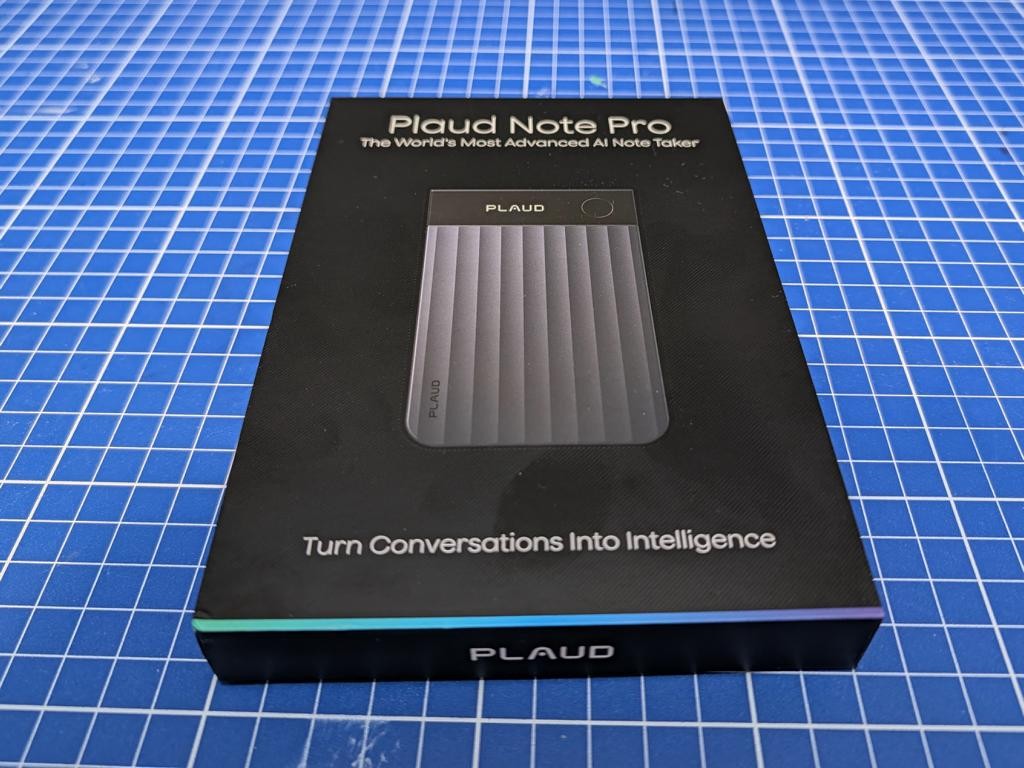
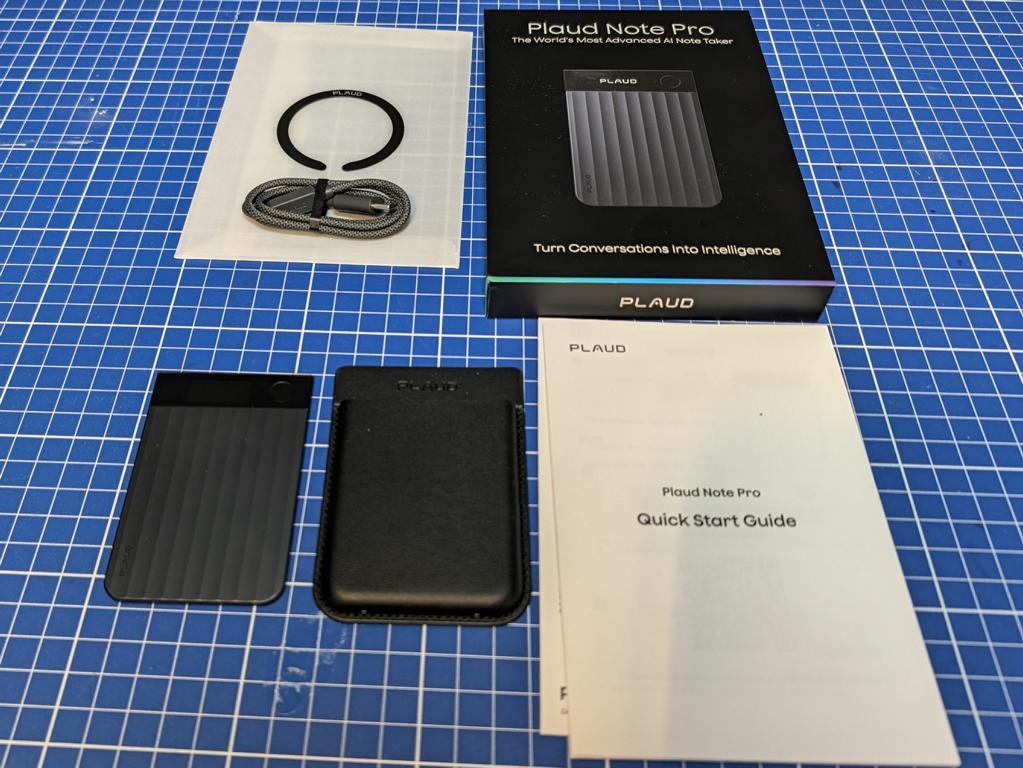
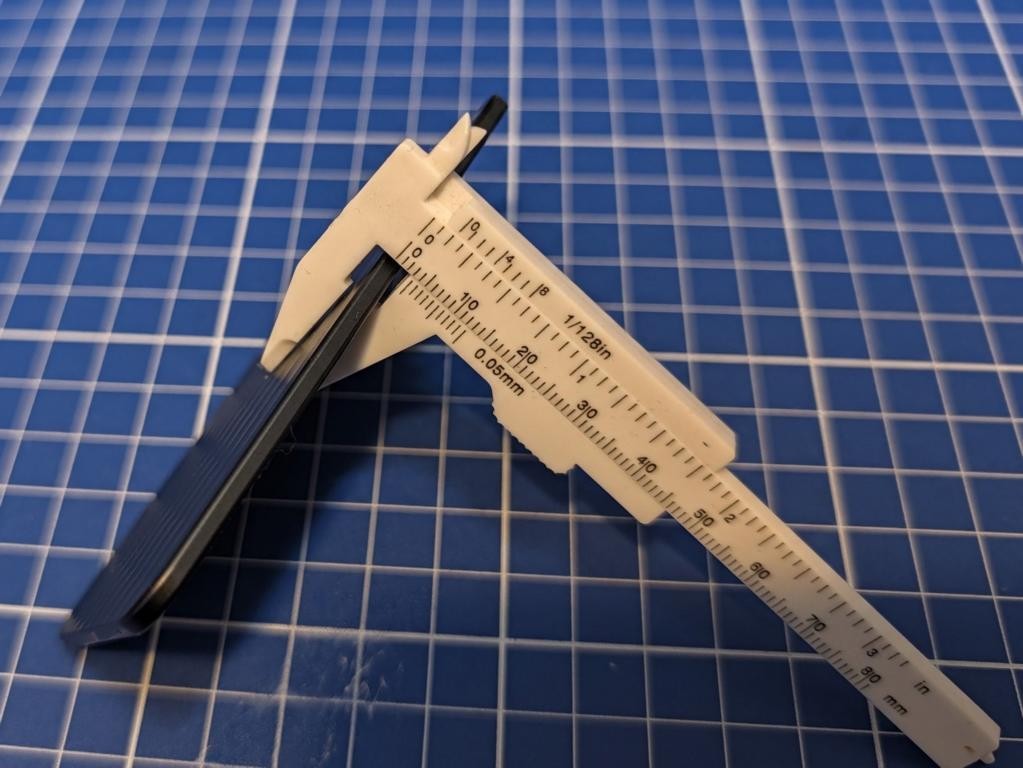
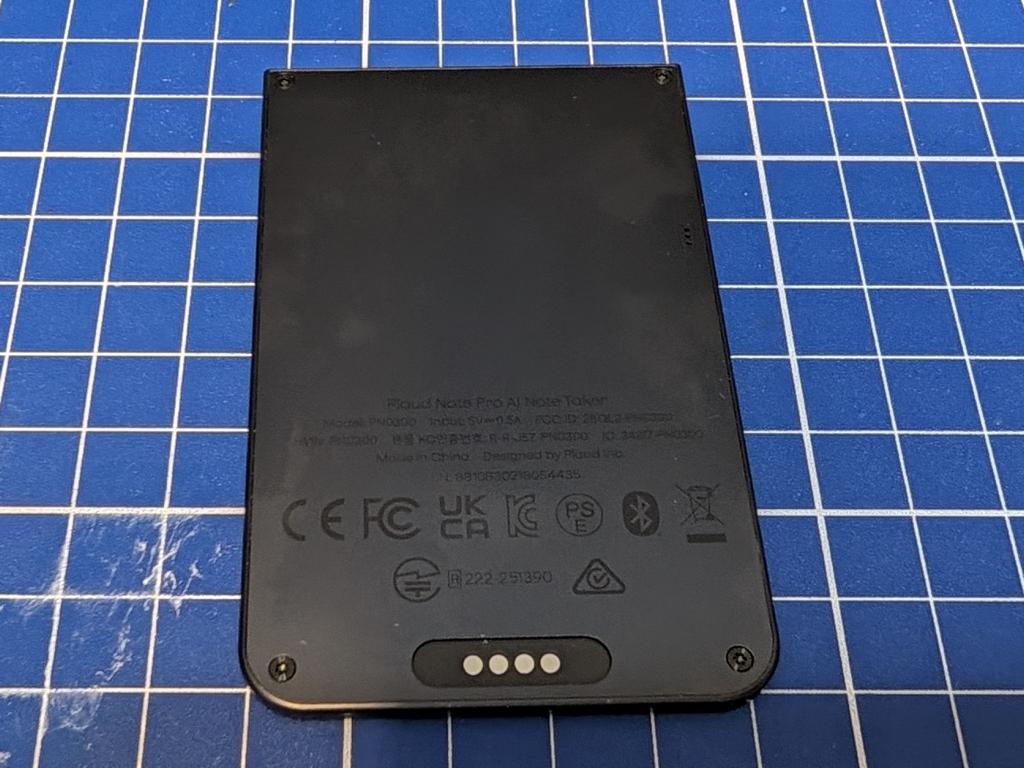
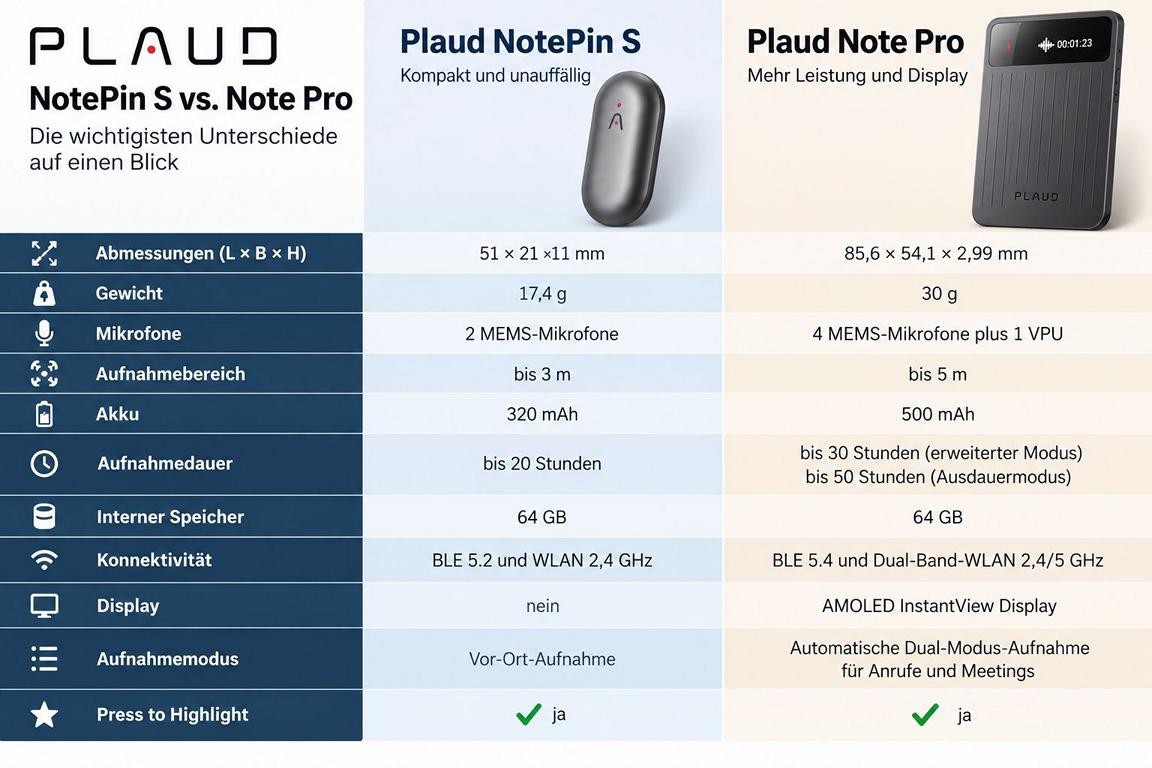
The Note Pro comes in a black box with an image of the recorder on the front. Besides the device, my package contained a magnetic protective case, an additional magnetic ring, the charging cable and a quick start guide. The packaging feels high-quality, and the device itself stands out above all for its minimal thickness. According to the manufacturer it measures 85.6 × 54.1 × 2.99 millimetres. The footprint is roughly that of a credit card, but it is noticeably thicker. The ribbed front offers some grip, and the display and record button sit in the dark upper section. The metal housing makes a high-quality impression on me, and the design stays pleasantly understated.
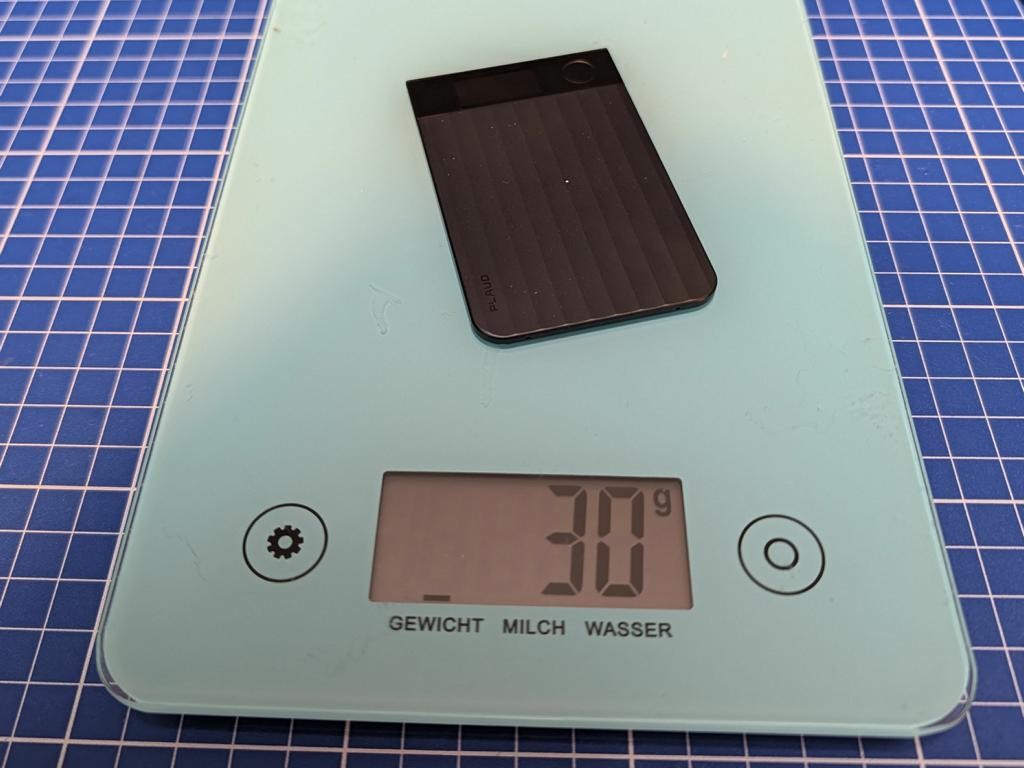
I checked the weight myself: my scale showed 30 grams without the case and 54 grams with it. The plastic case therefore adds another 24 grams. Even protected, the recorder stays light enough that it hardly matters on a smartphone. The magnetic attachment held excellently on my MagSafe smartphone. I also tried the supplied magnetic ring: it sits extremely firmly and allows the same attachment on suitable smartphones or cases. That is practical for phone call recording in particular, because the recorder stays directly on the back of the phone.
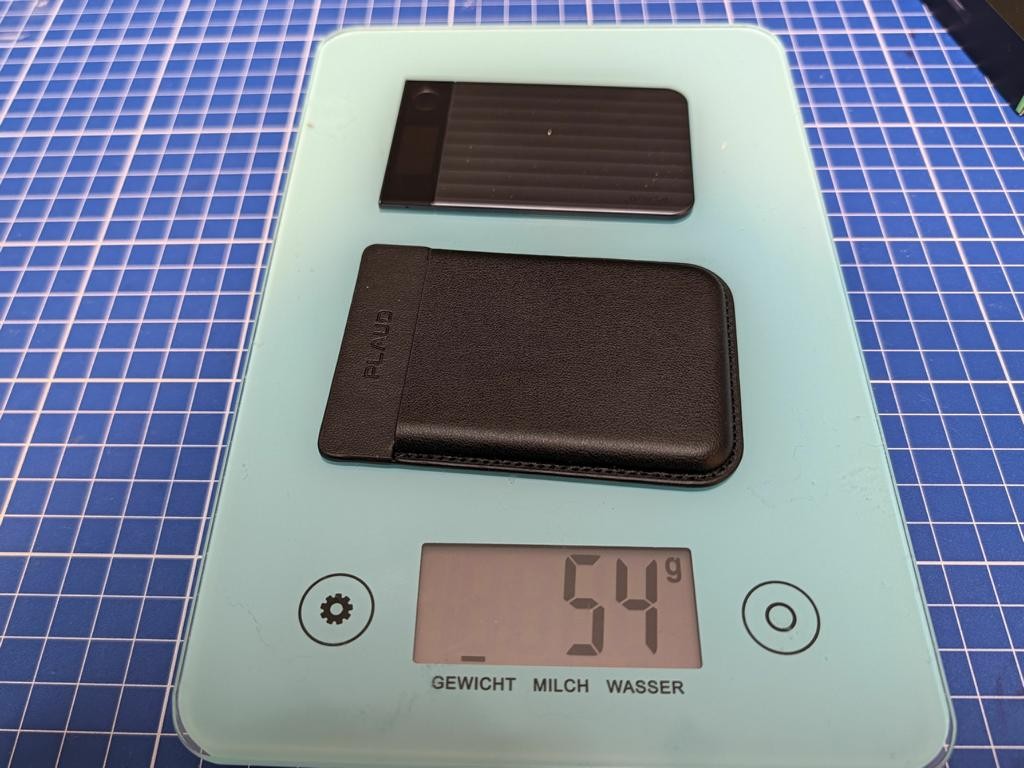
The extremely thin design feels somewhat delicate to me. That is an impression, not a proven weakness in stability. I cannot yet make a reliable statement about long-term scratch resistance and durability of the housing and case after this test. For transport I would use the included case.
Specifications
| Manufacturer | Plaud |
|---|---|
| Model | Plaud Note Pro |
| Dimensions | 85.6 × 54.1 × 2.99 mm |
| Weight (own measurement) | 30 g without case, 54 g with case |
| Microphones | Four MEMS microphones and one bone conduction sensor (VPU) |
| Display | 0.95 inch AMOLED, up to 600 nits |
| Recording range | Up to 5 m in Enhance mode, up to 3 m in Endurance mode |
| Battery | 500 mAh |
| Recording time | Up to 30 hours in Enhance mode, up to 50 hours in Endurance mode |
| Standby | Up to 60 days |
| Storage | 64 GB internal |
| Connectivity | Bluetooth LE 5.4 and Wi-Fi, 2.4/5 GHz |
| Recording functions | Conversations and phone calls, automatic mode detection, highlighting of important passages |
| Software | Plaud app, web access and desktop application |
| More information | plaud.ai (manufacturer) |
Apart from the weight, which I weighed myself, the technical values are manufacturer specifications. Range, display brightness and battery life are not my own measurements. You can find more details on the Plaud Note Pro product page.
Operation and recording conversations
One physical button handles the most important functions. A long press starts or ends a recording, and a short press during recording marks an important point in the conversation. Plaud calls this “Press to Highlight”. Vibrations confirm certain actions. I tried operating the device without looking at it, the feedback and the marking of passages, and found them good. The button sits slightly recessed in the housing, which makes accidental activation seem unlikely to me. Of course that is no guarantee against unintended recordings.
The small InstantView AMOLED display shows the battery level and the recording status, among other things. For a recorder I find a direct status display sensible: before an important conversation starts, I want to be able to see that the recording is running. I did not re-measure the maximum brightness of 600 nits stated by the manufacturer. What matters to me here is the quick look at the device status and the ability to operate the recording without opening the smartphone.
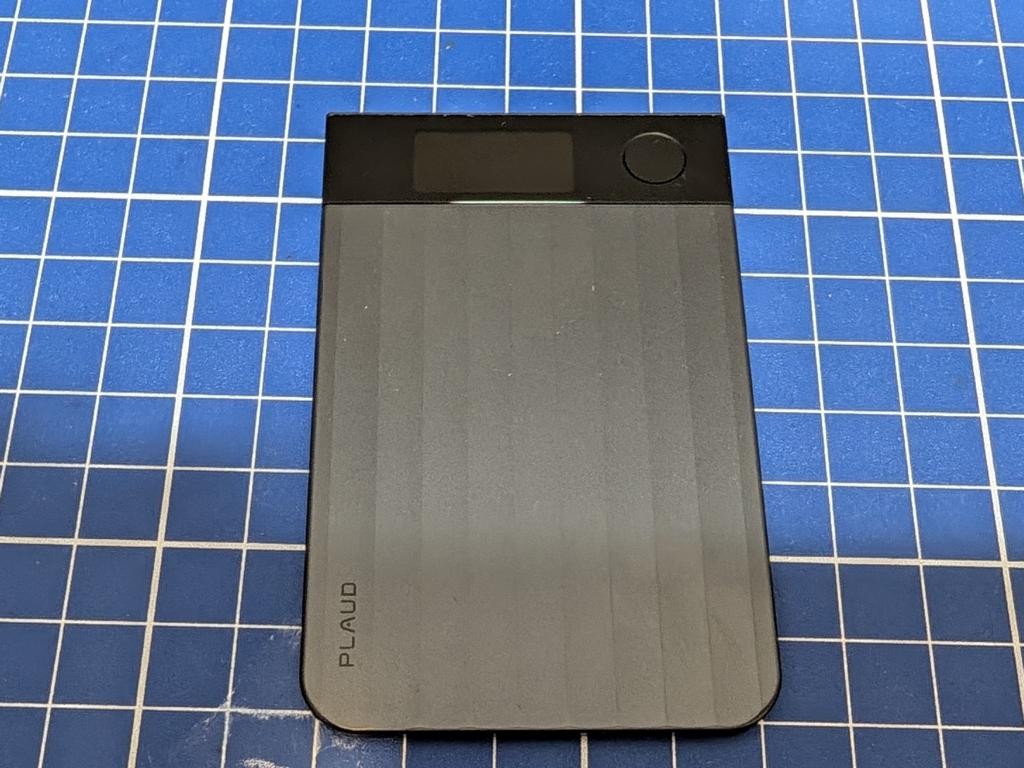
For conversations Plaud uses four MEMS microphones. These are particularly small microphones whose sensitive components are manufactured using microelectromechanical technology. Plaud states a range of up to five metres in Enhance mode and up to three metres in the more economical Endurance mode. I recorded identical speech passages from one, three and five metres and compared them. This test took place without disturbing background noise. No reliable statement about recognition in a noisy office or with several people speaking at once can be derived from it. Distance alone describes the recording conditions only incompletely. Room acoustics, speaking volume and background noise also influence the result.
Phone call recording in practice
For phone calls I attach the Note Pro with its magnetic case directly to the back of my smartphone. An additional bone conduction sensor picks up the vibrations of the phone there. The Smart Dual mode automatically distinguishes between a normal conversation and a phone call recording. That worked flawlessly in my practical test: the recorder recognised the calls and reliably switched to the corresponding mode without me having to switch manually. The magnetic attachment held the device securely in place.
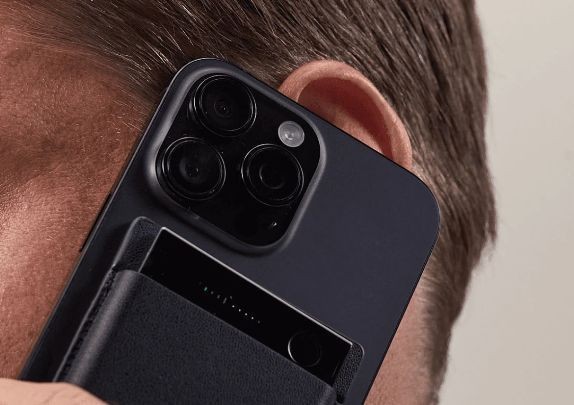
The sound quality convinced me as well. Both parties were recorded at sufficient volume and were easy to understand. The subsequent transcription reproduced the spoken content clearly. For me that makes the function a useful help for reading up on phone agreements later. The positive result refers to my tested combination of smartphone and recorder. It would not amount to a general guarantee for every phone and every conversation situation.
Plaud names one limitation for calls with headphones: the recorder cannot capture the voice of the other party then. Anyone who usually phones with a Bluetooth headset should take this into account when deciding whether to buy. The sensor needs the corresponding vibrations on the smartphone. Consent to the recording is equally important. Section 201 of the German Criminal Code (§ 201 StGB) protects the privately spoken word in Germany, and an unauthorised recording can be a criminal offence. I would therefore only record a conversation once everyone involved has been informed and has agreed.
Plaud app and AI analysis
The hardware first captures the sound. For me the real benefit arises afterwards in the Plaud platform: I transfer a recording to the app, have it transcribed and choose a suitable format. Files can be organised in folders, and besides the smartphone app there are web and desktop versions. That lets me record on the go and continue working on the results later on the computer. The separation between recording and analysis is important here: the AI processing runs through the Plaud infrastructure, not entirely on the recorder.
With the Note Pro I analysed German and English recordings with technical terminology. Names, numbers and different speakers were recognised fairly reliably. I also liked the automatic language detection. English recordings could be processed without problems and then summarised in German. The summaries reproduced the essential content clearly and in a sensibly structured way. Minor inaccuracies can occur with technical terms and proper names. My overall impression is positive, but I cannot derive a measured error rate or error-free recognition from it. I would always compare important names, numbers and dates with the original recording before passing them on.
The templates determine how Plaud prepares the content of a conversation. In my screenshots the “IT & Technik” category alone covers various use cases, including project meetings, software requirements, knowledge sharing and troubleshooting. Depending on the template, a conversation can be presented as meeting minutes, a task overview or a technical summary, for example. Plaud also offers custom vocabulary and your own templates. For recurring meetings I consider a fixed structure with decisions, open tasks, responsibilities and dates sensible. A large selection of templates alone says little about whether the actual summary is complete and correct.
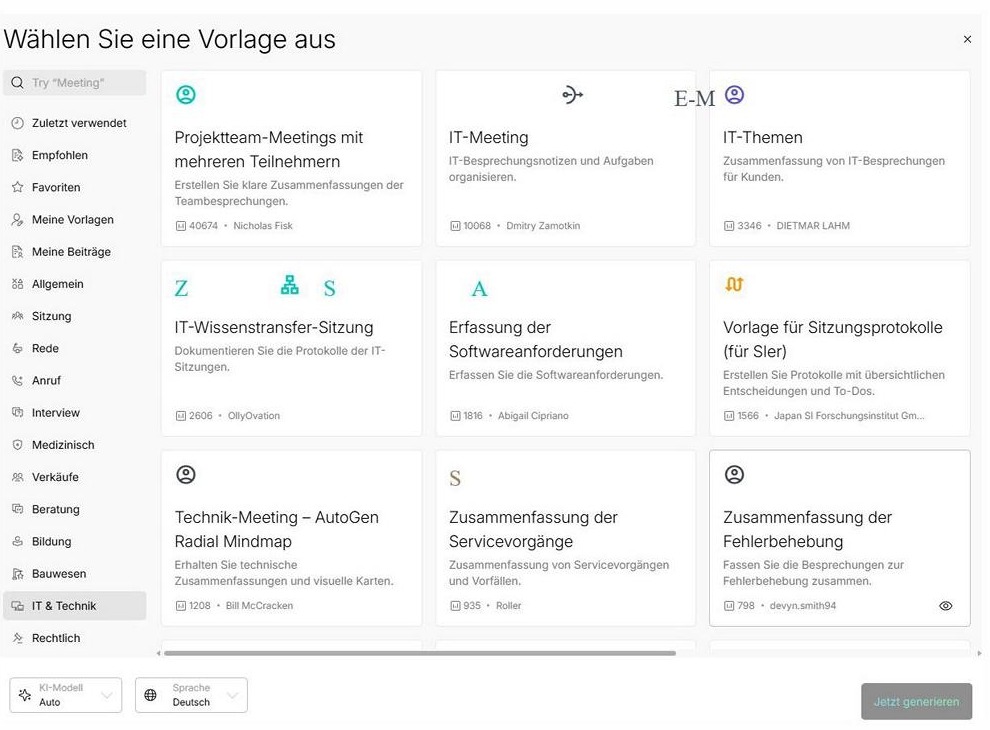
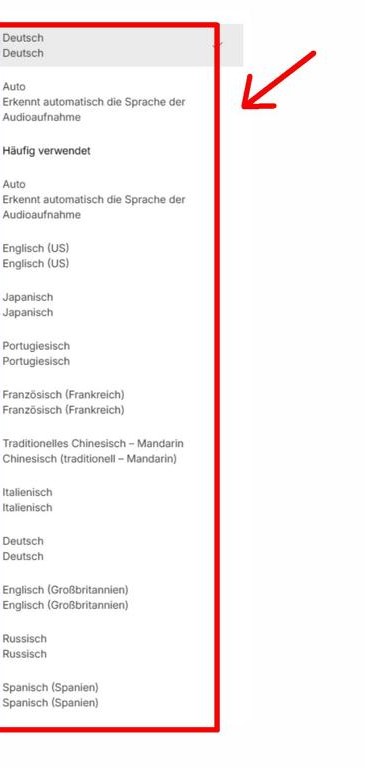
Further functions extend the platform. Ask Plaud lets you ask questions about content that has already been processed, such as a decision or an agreed date. AutoFlow is meant to automate recurring processing steps. In addition, images, text notes and highlighted passages can add context. In technical conversations, a sketch or a photo of a component can contain information that a pure audio recording lacks. These options are part of the platform’s range of functions. I have no separate assessment of Ask Plaud, AutoFlow and the inclusion of additional images from this test. My positive verdict on the AI analysis is based on the transcripts and summaries I actually checked.
Data transfer, battery and data protection
The Note Pro offers 64 GB of internal storage as well as Bluetooth LE 5.4 and Wi-Fi in the 2.4 and 5 GHz bands. I tried the transfer in everyday use: over Wi-Fi even longer recordings arrived in the Plaud app extremely quickly. The process was uncomplicated and reliable, and I noticed no annoying waiting times. I did not take an exact time measurement, so concrete transfer rates or figures in seconds would be inappropriate. I also found it practical that both the original audio files and the generated transcripts can be exported for further use. According to the manufacturer and support, direct file access like a USB drive via the charging cable is not intended. Access runs through Plaud’s software.
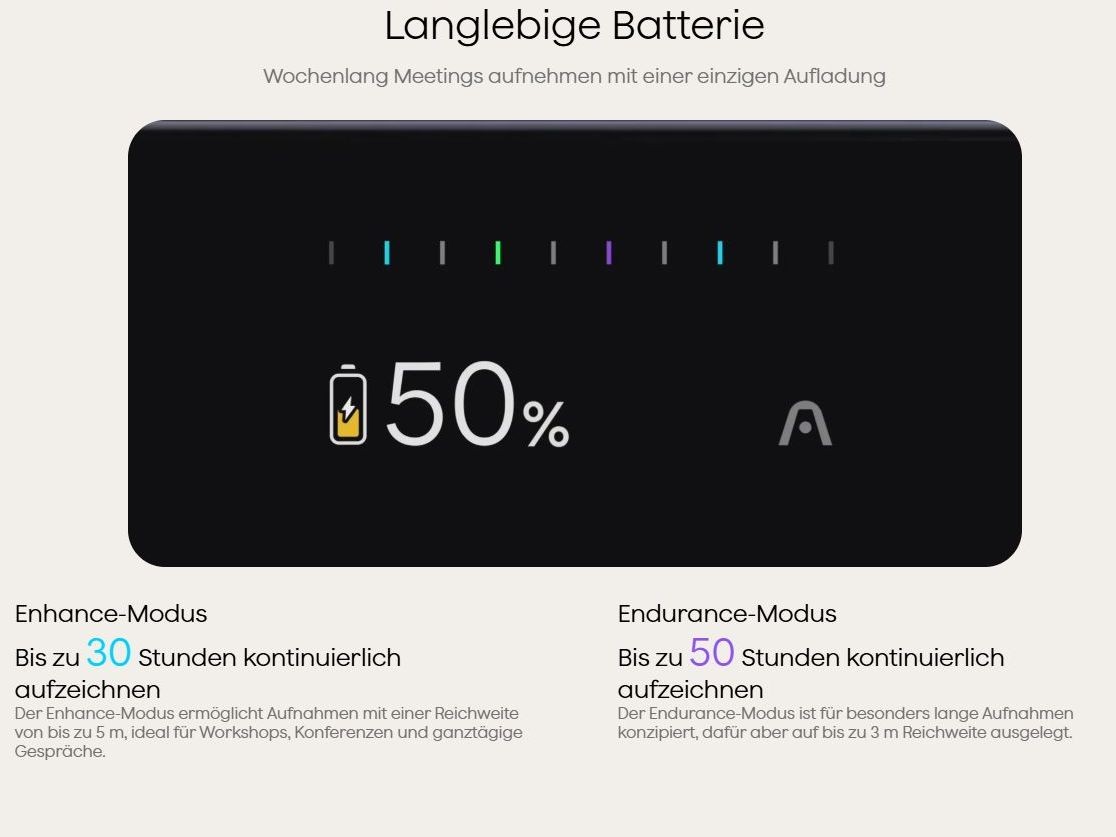
For the battery, Plaud distinguishes between two operating modes. For the 500 mAh battery the manufacturer states up to 30 hours of continuous recording in Enhance mode and up to 50 hours in Endurance mode. Standby time is said to be up to 60 days. These are expressly manufacturer specifications, not run times I have confirmed. The more economical mode goes together with the lower stated recording range. Whether the respective maximum values are achievable in personal everyday use depends on usage and the selected mode. I have no run time measurement of my own.
Questions remain open for me on data protection. Recordings are first made locally on the recorder, but data is processed in the cloud for transcription and summary. Plaud points to security certifications such as ISO 27001, ISO 27701 and SOC 2. Such statements do not replace a check of whether the specific use is suitable for confidential or professional conversation content. In my research so far I found contradictory statements about storage and processing locations: indications of regional processing and European data routes were set against statements about storage in the USA. For my specific use case this contradiction remains unresolved.
The global trust page now describes regional data centres and EU-hosted AI service providers for European users. The earlier link to the European data protection and security page now leads to a new trust centre, which also names regional data centres. The statements about the USA that I found earlier can therefore not simply be presented as unchanged current page content. A binding clarification of all data routes for my account and my use does not follow from this either. Before using the device you should check the current terms yourself and, if necessary, obtain a binding statement on storage locations, service providers involved, deletion periods and any data processing agreement that may be required. Consent to the recording of a conversation does not automatically answer all questions about the subsequent cloud processing.
Price and subscription
With the Note Pro you pay for the hardware once, and depending on the extent of AI analysis, ongoing costs can be added. You can find the current device price on the manufacturer’s website. For the subscriptions, the official plan overview refers to a free Starter plan with 300 transcription minutes per month and a Pro plan with 1,200 minutes. That corresponds to five and 20 hours respectively. Starter can be enough for occasional interviews and meetings. Anyone who regularly analyses long conversations has to consider the quota and the possible follow-up costs from the start. Unlimited is also subject to terms of use and is offered with up to 24 hours of transcription per day.
For the paid plans Plaud distinguishes between monthly and annual billing. The plan page shows rounded calculated monthly prices next to annual amounts that do not follow exactly from them. I therefore refrain from stating fixed subscription prices and from deriving a total cost calculation from them. Before buying, check the amount actually charged, the payment method and the services included directly with the manufacturer. With intensive use in particular, this look is part of the purchase decision: the device price alone does not fully describe the cost of the system.
Conclusion
In practical testing the Plaud Note Pro convinced me. The minimal thickness, the weight I confirmed and the strong magnetic attachment make the hardware pleasantly handy. The button, vibration feedback and status display suit the purpose of a recorder well. Particularly positive are the automatic phone call detection, the clear recording of both parties and the subsequent transcription. German and English recordings with technical content also delivered usable results, and the German summaries of English conversations are among the most useful functions for me.
The limits lie mainly in the cloud dependency, possible subscription costs and the necessary checking of the AI results. For confidential or professional conversations I would clarify the open data protection questions bindingly beforehand. Anyone who only needs a simple audio recording will hardly benefit from the platform. Anyone who regularly follows up conversations and checks the results gets a practical tool with the Note Pro. For me the Plaud Note Pro is a convincing help for documenting conversations, as long as the plan and the data processing suit your own use.
Pros
- Very flat housing and low weight that I confirmed myself
- Strong magnetic attachment with case and additional ring
- Simple operation with display, vibration and passage marking
- Automatic phone call detection and clear recording of both parties
- Good transcripts and structured summaries in my own test
- English recordings can be summarised sensibly in German
Cons
- Ongoing costs with extensive AI analysis
- Cloud dependency and unresolved data protection questions for the specific use
- No direct USB file access intended
- Recording of the other party on calls with headphones is limited
- AI results need checking, especially for names and technical terms

Tests gadgets in his own test lab — and only believes manufacturers once he has measured it himself. More about me